Latentry

Private, local image generation. Every picture remembered. A web UI on your own computer, in front of Latentry's own engine, the servers you already run, or both. Your prompts, pictures and settings stay on your machine. Every picture is saved with how it was made, and the gallery finds it again by what it shows or how it was made.
What it does
- Generate: text-to-image, img2img (a variation, or a picture as a pose reference) and inpainting with a painted mask. Hires fix redraws a new picture at a larger size, and Upscale does the same to one already in the gallery. Extend grows a picture's canvas and draws the new area, and wildcards fill in parts of a prompt from a folder of text files. More runs queue behind the one going, and an X/Y grid draws a run again for each value of one or two settings.
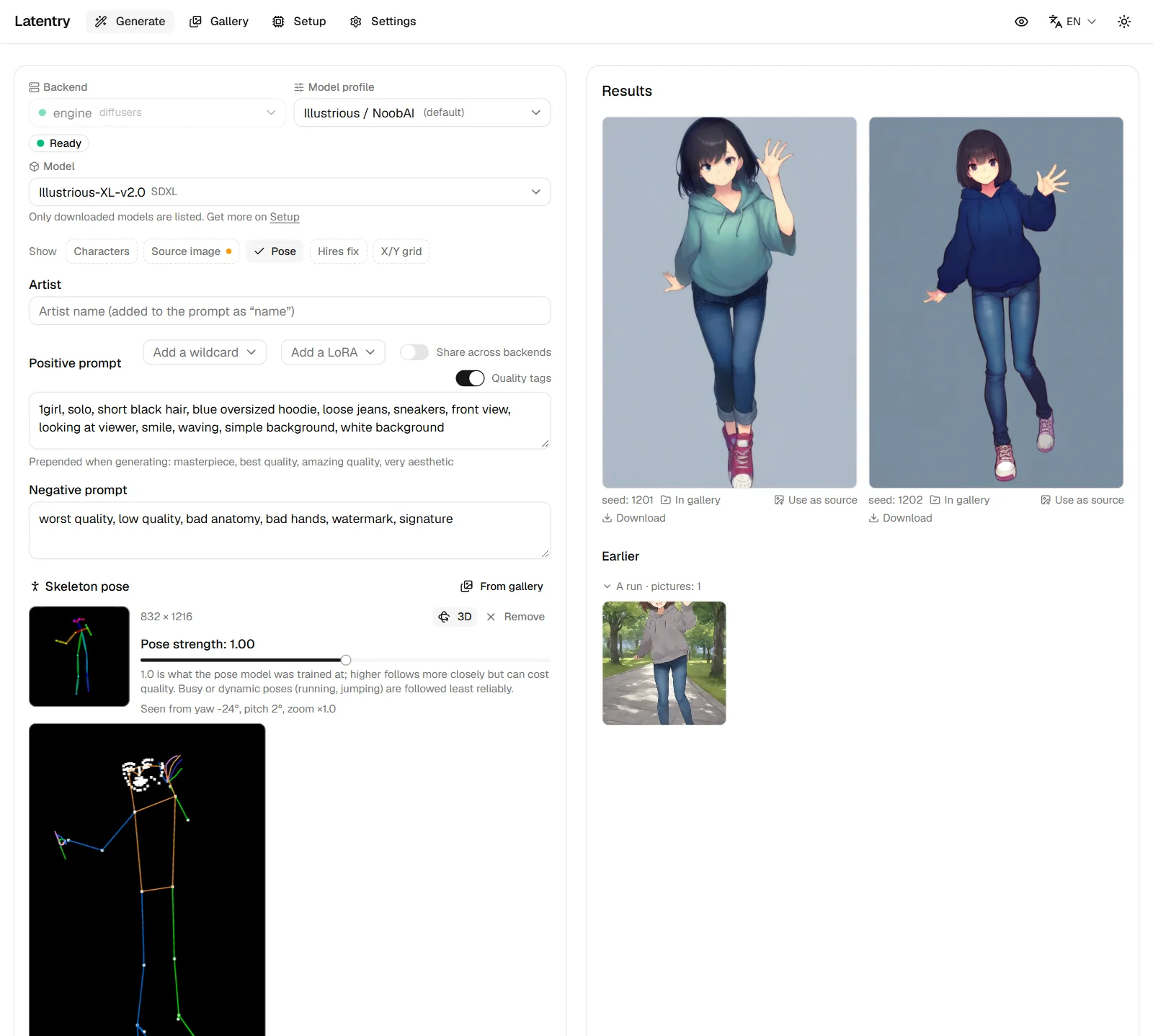
- Poses from group pictures, turned in 3D: pick which of the people in a picture to follow (one, several or everyone), turn the pose in 3D and frame it, then generate along that skeleton. See Pose and the 3D view.
- Several backends and model families: each backend keeps its own form, and a model profile (Anima, SDXL, Illustrious / NoobAI, Pony, generic) sets sizes, steps, CFG, negative prompt, artist notation and quality tags.
- Gallery: every finished image is saved with its settings embedded
(readable by A1111's PNG Info too); other tools' folders are browsed
read-only, with settings read from PNG, JPEG and WebP. Search by prompt,
tag or setting (
model:,steps:>=30), order and filter, stack pictures that share a prompt, compare two, and send settings, tags or the picture back to the form. - Private by design: nothing is sent anywhere you did not set up, no telemetry, settings only from this computer, and a secret mode. See Privacy.
- Tags: WD14 tags from a source picture, carried into the prompt by group (hair, eyes, outfit…); tags under every gallery card; tag a whole selection at once.
- Built-in engine: Latentry installs and runs stock diffusers on your NVIDIA GPU from its Setup page, and downloads models only after showing their licence.
Where to start
- Getting started: install, set up the engine, generate the first picture.
- Generate: the generate page, from a picture, bigger pictures, many pictures and pose and the 3D view.
- Gallery.
- Devices: an owner device when your browser is not on the computer running Latentry, and other devices and security before using it from a phone.
- Privacy, Secret mode and Settings.
Latentry is open source (MIT): github.com/33rd-kk/latentry. Its pose detection is poseorbit.